

Phone
01204 89 6440General Enquiries
hello@statuo.co.ukClient Enquiries
accounts@statuo.co.ukHello I’m Adam // General Manager
Drive quality traffic to your site
Talk to me todayHello I’m Faye // Marketing Director
Drive quality traffic to your site
Talk to me todayWhen we begin a new website project, one of the first things we share with a client is often a set of fairly plain grey layouts. These are wireframes, and they help us work through the structure of the website before it starts to take on its finished appearance.
Nicola Law
Oct 23, 2026
A website wireframe is a visual plan showing how the content, navigation and features of a page will be organised before the visual design is added. In this guide, we’ll explain what wireframes show, why we use them and what you should consider when reviewing one.
Think of a wireframe as a webpage stripped back to its essential parts. Depending on the purpose of the page, it might include:
These elements may appear as simple boxes, labels or early content. An image might be shown as a grey rectangle, while a button may only contain the action it needs to encourage, such as “Request a Quote” or “View Our Services”.
We will usually consider both desktop and mobile layouts. A content order that works well across a wide screen may need to change on a phone, particularly when important information or buttons would otherwise be pushed too far down the page.
These are all used during website planning and design, but they serve different purposes.
Not every project uses all four as separate stages. The process will depend on what needs to be planned, reviewed and tested.
Most business websites need visitors to do something, whether that’s buying a product, making an enquiry, booking an appointment or finding an answer.
Wireframing allows us to follow that journey through the page. We can check whether visitors receive the information they need in the right order and whether the next step is clear when they are ready to take it.
A page can sound perfectly straightforward when it is being discussed in a meeting. Once we lay it out, we may realise that an important piece of information is buried, two sections are doing the same job or a form asks for more information than the business actually needs.
At the wireframe stage, we can question those decisions, move sections around and try another approach. Making the same structural change after the page has been fully designed or developed can affect several areas of work.
Clients, designers, copywriters and developers can all picture a proposed page slightly differently. A wireframe gives everyone something specific to review.
The client can confirm that the page reflects the brief. The copywriter can see which messages require the most attention. The designer and developer have a clearer understanding of the layouts, features and interactions they need to create.
Every website project has its own requirements, but our process generally follows the same path.
Before laying out individual pages, we discuss what the website needs to achieve, who will use it and what those visitors are likely to need.
We then plan the sitemap, which shows the pages the website will contain and how they will be organised. This gives us the foundation we need to begin working on the individual page layouts.
We usually begin with low-fidelity wireframes for desktop and mobile. “Low-fidelity” simply means they are rough layouts containing enough detail for us to explore the structure.
At this point, we can test where the main content, calls to action and features should sit. The layouts are intentionally quick to adjust, giving us room to question and redraw different areas until the journey through the page feels clear.
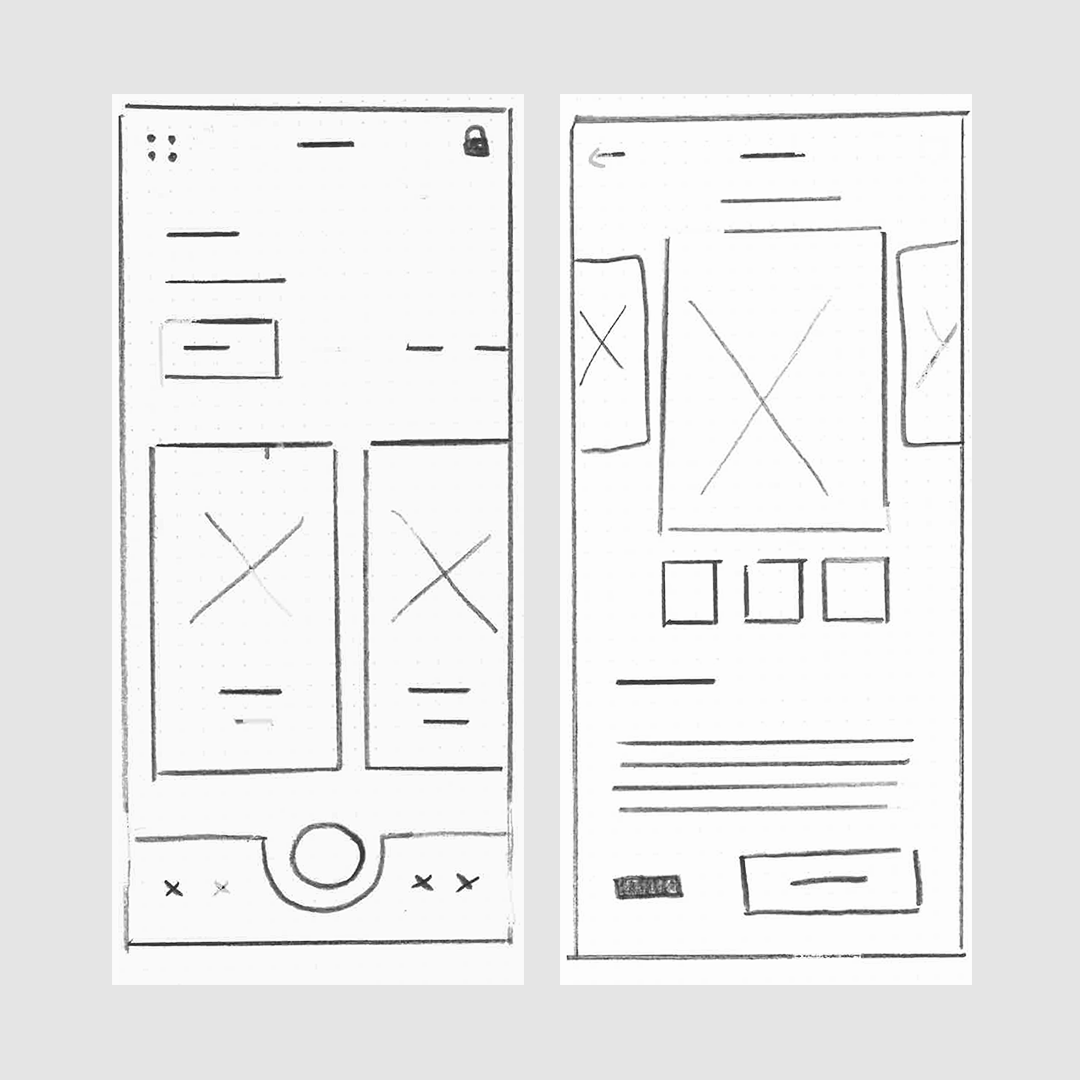
Once the main structure is working, we can create more detailed high-fidelity wireframes in Figma.
These include clearer labels, more realistic content lengths and additional information about how particular features should work. They give the client a more complete view of the proposed website across desktop and mobile, while there is still time to discuss and refine the structure.
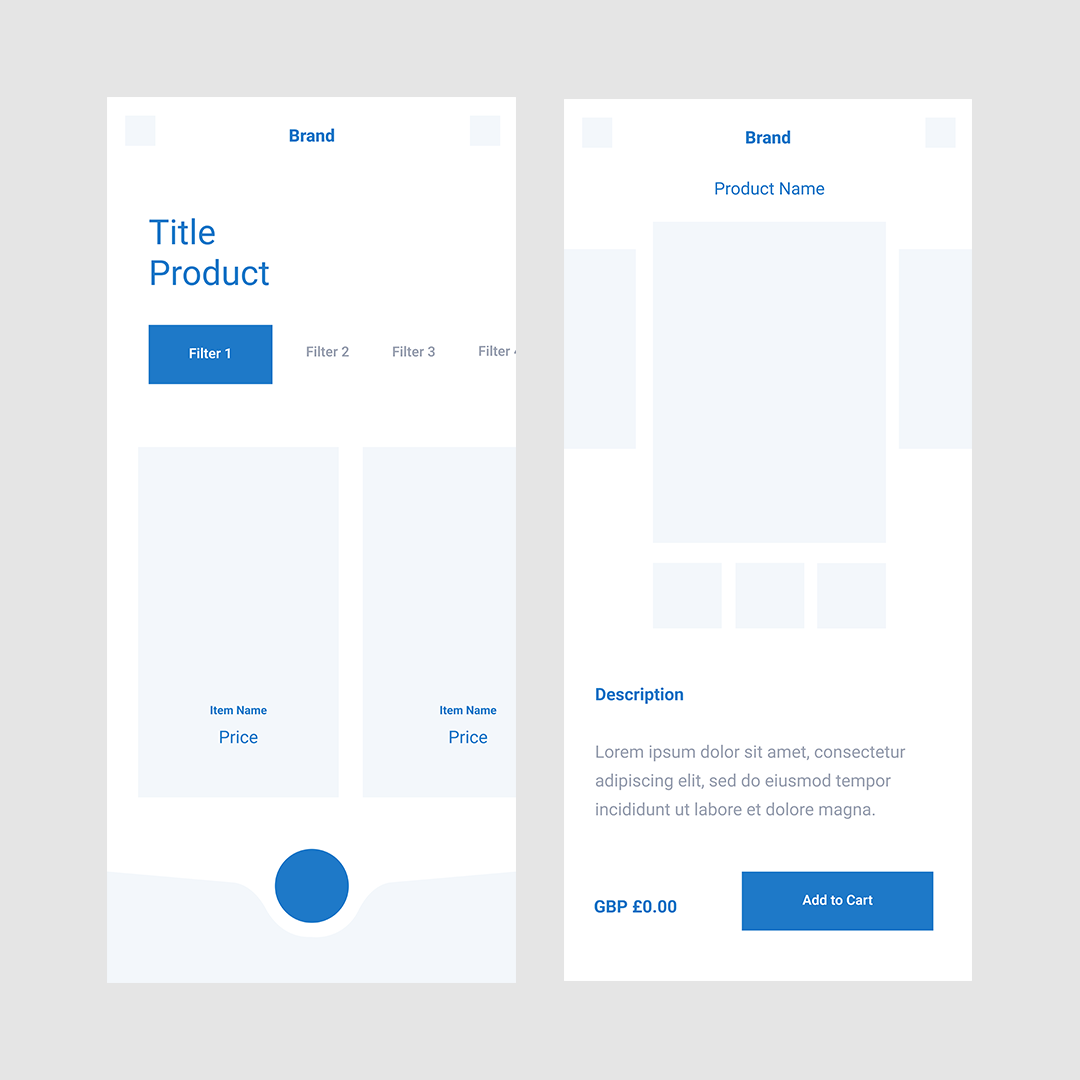
Once the wireframes have been discussed and approved, we move into visual design. This is when the brand colours, fonts, imagery and finer design details are applied.
Because the structure and functionality have already been considered, the design feedback can concentrate on how the website looks and feels. The approved wireframes also give our developers a clear picture of what needs to be built.
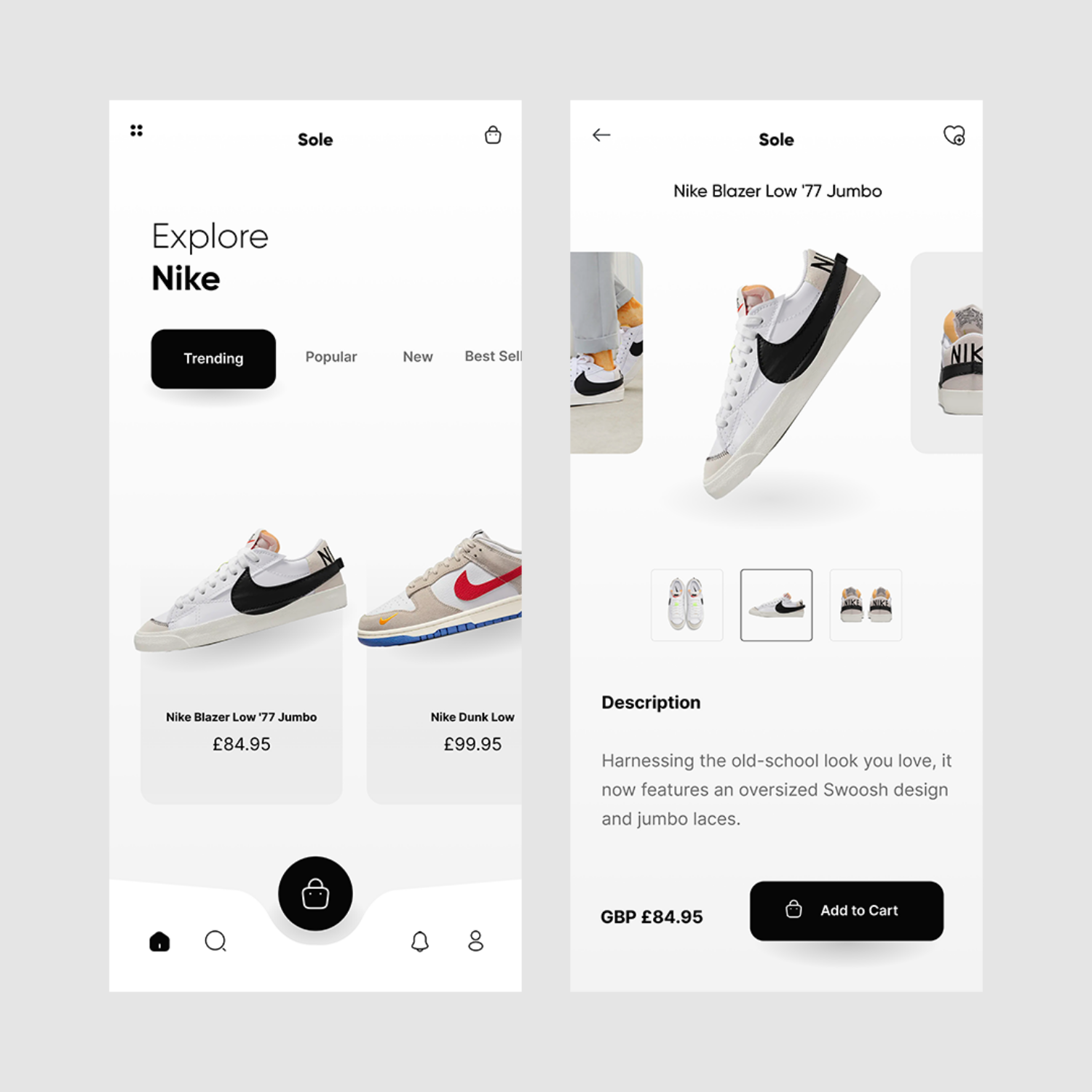
When we send wireframes to a client, the most useful feedback is about how the page works for the business and its customers.
It also helps to explain why you are requesting a change. For example:
“Customers usually need to check our delivery areas before requesting a quote, so could that information appear earlier on the page?”
That gives the designer useful context and allows them to consider the best way to solve the problem.
Useful wireframe feedback identifies the problem or customer need. It gives the designer the context needed to find the most appropriate solution.
Wireframing is one part of how we turn your business goals, content and customer journeys into a clear website structure before design and development begin.
If you’re planning a new website or redesign, Statuo can help you work out what it needs to achieve and guide you through every stage of the process.
Explore Our Web Design Services
A wireframe can contain final copy, early drafts or placeholder content, depending on the stage of the project.
Using realistic headings, calls to action and approximate content lengths helps us judge whether the layout suits the information the page needs to communicate. Generic placeholder text can sometimes hide problems that only become apparent once the real content is added.
A straightforward page may only need a static wireframe.
For a website with more complicated navigation, forms or interactions, linking several screens together can help demonstrate how somebody will move through the process. At that point, the wireframe may also be described as a prototype.
Yes, but larger changes may affect the visual design, development work, timings or cost.
The review stage gives everyone an opportunity to agree the main structure before the project moves forward. Smaller adjustments can still be made later where needed.

